


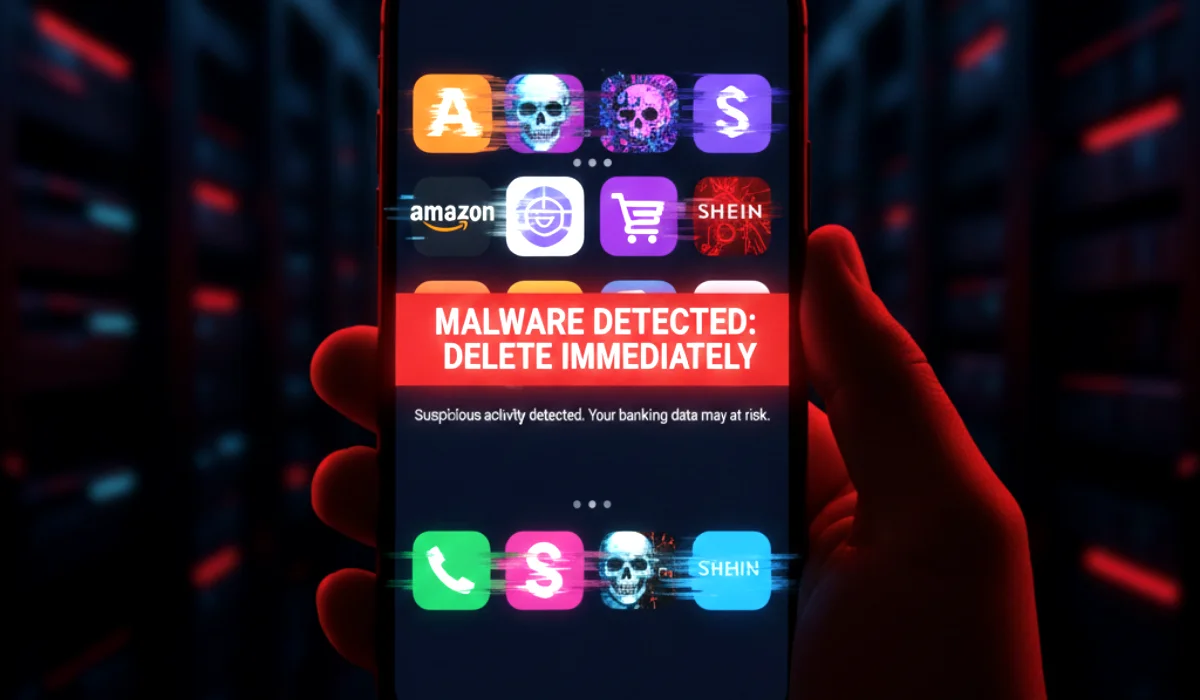
Black Friday 2025 is shaping up to be the biggest mobile shopping event in history. But as millions of users rush to download apps for “exclusive deals” and “flash sales,” cybercriminals are waiting with a sophisticated trap.
Security researchers have identified a massive surge in fake Android and iOS shopping apps designed to steal your credit card details, harvest your personal data, and even take control of your bank account. These aren’t just buggy apps; they are disguised banking trojans and “fleeceware” that look identical to popular brands like Temu, Shein, and Amazon.
If you have any of these 10 types of apps installed on your phone, delete them immediately. This is your ultimate guide to spotting and removing the Black Friday malware that is currently trending on the dark web.
Urgent Security Alert: “Cybercriminals are now using AI to generate fake apps with thousands of fake reviews in minutes. The old advice of ‘checking the star rating’ is no longer enough. In 2025, you must verify the developer name and check the permission requests. A shopping app does not need access to your SMS messages or Accessibility Services. If it asks, it is malware.”
The 10 Fake App Categories & Names to Watch Out For
While specific app names change daily as Google and Apple ban them, these are the 10 specific categories and clone types that are currently infecting phones across the US and Europe.
1. The “Discount Codes” & “Coupon Generator” Apps
- The Trap: Apps with names like “Super Black Friday Coupons” or “Promo Code Unlocker.” They promise to unlock 90% off codes for Amazon or Best Buy.
- The Threat: These are often “fleeceware.” They charge you a hidden weekly subscription of $9.99 or more just to show you public coupons you could find on Google for free.
2. The “Temu / Shein” Clones
- The Trap: Apps named “Temu Deals – Beta” or “Shein Exclusive Outlet.” They use the exact logo and color scheme of the real apps.
- The Threat: These are phishing apps. When you “log in” with your existing account, you are actually sending your email and password directly to hackers. They then hijack your real account to make fraudulent purchases.
3. The “Order Tracker” Imposters
- The Trap: Apps claiming to be universal package trackers, often named “Global Package Tracker” or “Black Friday Shipping Monitor.”
- The Threat: These apps request Accessibility Services permission. If granted, this allows the malware to read everything on your screen, including your banking app passwords when you type them in.
4. The “Flash Sale” Timers
- The Trap: Apps that show a countdown clock for major sales, creating a sense of urgency.
- The Threat: Adware. These apps flood your phone with full-screen, unskippable ads, even when the app is closed, draining your battery and data.
5. The “Luxury Outlet” Fakes
- The Trap: Apps selling “overstock” Gucci, Louis Vuitton, or Rolex items for 90% off.
- The Threat: Credit card skimming. You pay for an item that never arrives (or you get a cheap knockoff), but the real damage is that your credit card details are sold on the dark web.
6. The “Gift Card Generator” Scams
- The Trap: Apps claiming to generate free Amazon or Walmart gift cards if you “complete tasks.”
- The Threat: Data harvesting. The “tasks” involve filling out endless surveys that ask for your full name, address, and even Social Security number, leading to identity theft.
7. The Fake “Customer Support” Chat Apps
- The Trap: Apps claiming to be the “Premium Support” line for major retailers.
- The Threat: Social engineering. The “support agent” (a scammer) will ask you to download a “remote desktop” tool to “fix your order issue,” giving them full control over your phone.
8. The “Shopping Browser” Extensions
- The Trap: Mobile browser apps that promise to auto-apply coupons.
- The Threat: Cookie stuffing and history tracking. They track every website you visit and inject their own affiliate cookies to steal revenue from legitimate creators, while also building a profile of your browsing habits.
9. The “Beta Tester” Shopping Apps
- The Trap: Apps distributed via “TestFlight” on iOS or APK files on Android, claiming to be beta versions of popular store apps with “early access” to deals.
- The Threat: Because they bypass the official App Store review process, these apps often contain dangerous malware like GoldDigger or FakeToken that can drain your crypto wallets and bank accounts.
10. The “AI Personal Shopper” Bots
- The Trap: New for 2025, these apps claim to use AI to find the best deals for you.
- The Threat: Many are Trojan horses. While they might actually find some deals, they silently run malicious code in the background to use your phone as part of a botnet for DDoS attacks.
How to Spot a Fake App in 3 Seconds (The 2025 Checklist)
Don’t trust the logo. Don’t trust the reviews. Check these three things instead:
- The Developer Name: Click on the developer’s name under the app title. Does it say “Amazon Mobile LLC” or does it say “AmazonDeals Best Inc”? If it’s a generic name or a Gmail address, it’s a fake.
- The “Updated On” Date: A real app like Walmart or Target has been updated constantly for years. A fake app was likely released last week to catch the Black Friday rush.
- The Permission Requests: Does a calculator or coupon app ask for “Device Admin” or “SMS” access? Deny and delete immediately. This is the #1 sign of banking malware.
Frequently Asked Questions (FAQs)
1. I installed one of these apps. What should I do?
First, uninstall the app immediately. Then, go to your phone’s settings and check “Device Admin Apps” to ensure it didn’t grant itself permanent access. Finally, change your banking and email passwords.
2. Can iPhones get fake shopping apps?
Yes. While Apple’s App Store is stricter, scammers use “TestFlight” invitations or deceptive “utility” apps (like a calculator) that turn into fake shopping interfaces after you install them.
3. How do fake apps get 5-star reviews?
Scammers use bot farms to post thousands of fake 5-star reviews within hours of launching the app. Look for reviews that are short, repetitive, and all posted on the same day.
4. Is it safe to download APKs for Black Friday deals?
Never. Downloading an APK file from a website bypasses all of Google’s security checks. This is the most common way people get infected with serious banking trojans.
5. What is “fleeceware”?
It’s an app that isn’t technically malware (it doesn’t steal your data), but it scams you by charging an exorbitant subscription fee (e.g., $50/week) for a basic service, hoping you’ll forget to cancel.
6. Can antivirus apps detect these fakes?
Good mobile antivirus apps (like Malwarebytes or Bitdefender) can detect known malicious code, but they might miss brand-new “fleeceware” or scam apps that rely on social engineering rather than viruses.
7. Why does the app ask for Accessibility Services?
This is a huge red flag. Accessibility Services are for users with disabilities, but malware uses it to “read” your screen and steal your passwords or 2FA codes when you type them into other apps.
8. Are “deal finder” apps safe?
Only use well-known, established ones like Honey, Rakuten, or RetailMeNot. Verify the developer is the official company before downloading.
9. What if an app offers 95% off?
If it sounds too good to be true, it’s a scam. No retailer sells a brand new iPhone 16 for $50. These are credit card harvesting traps.
10. How can I report a fake app?
Both Google Play and the Apple App Store have a “Flag as Inappropriate” or “Report” button on the app page. Use it to help protect other users.
11. Do fake apps look different from real ones?
In 2025, no. Scammers copy the exact code and design of the real apps. The visual interface is often indistinguishable. You must check the metadata (developer, release date) to spot the fake.
12. What is “Quishing”?
It’s “QR code phishing.” Scammers put fake QR codes on parking meters or posters that link to downloading a malicious app instead of the real one.
13. Can a fake app steal my crypto?
Yes. Advanced malware can scan your phone for crypto wallet apps and keylog your seed phrase or password when you open them.
14. Why are there so many fake Temu apps?
Because Temu is currently the most popular shopping app, making it the #1 target for cloning. Scammers piggyback on its popularity to trick users.
15. Is it safer to shop on the website or the app?
If you are unsure about the app, the official website (accessed via your browser) is safer. Just ensure the URL is correct (e.g., amazon.com, not amazon-deals-vip.com).
16. Can I get a refund if a fake app charges me?
If it was a subscription through the App Store or Google Play, you can request a refund from Apple or Google directly. If you gave your credit card directly to the app, you must call your bank to dispute the charge.
17. What is a “overlay attack”?
It’s when a fake app puts a transparent window over your legitimate banking app. When you type your password, you think you’re logging into your bank, but you’re actually typing into the malware’s fake window.
18. How often do these lists change?
Daily. Scammers launch new apps as fast as the old ones are taken down. This is why learning how to spot them is more important than memorizing a specific list of names.
19. Are “early access” Black Friday apps real?
Almost never. Major retailers do not release separate “early access” apps. They just update their main app.
20. What is the safest way to download shopping apps?
Go to the retailer’s official website (e.g., walmart.com) and click the “Download on the App Store” or “Get it on Google Play” link in their footer. This ensures you get the real app.


