


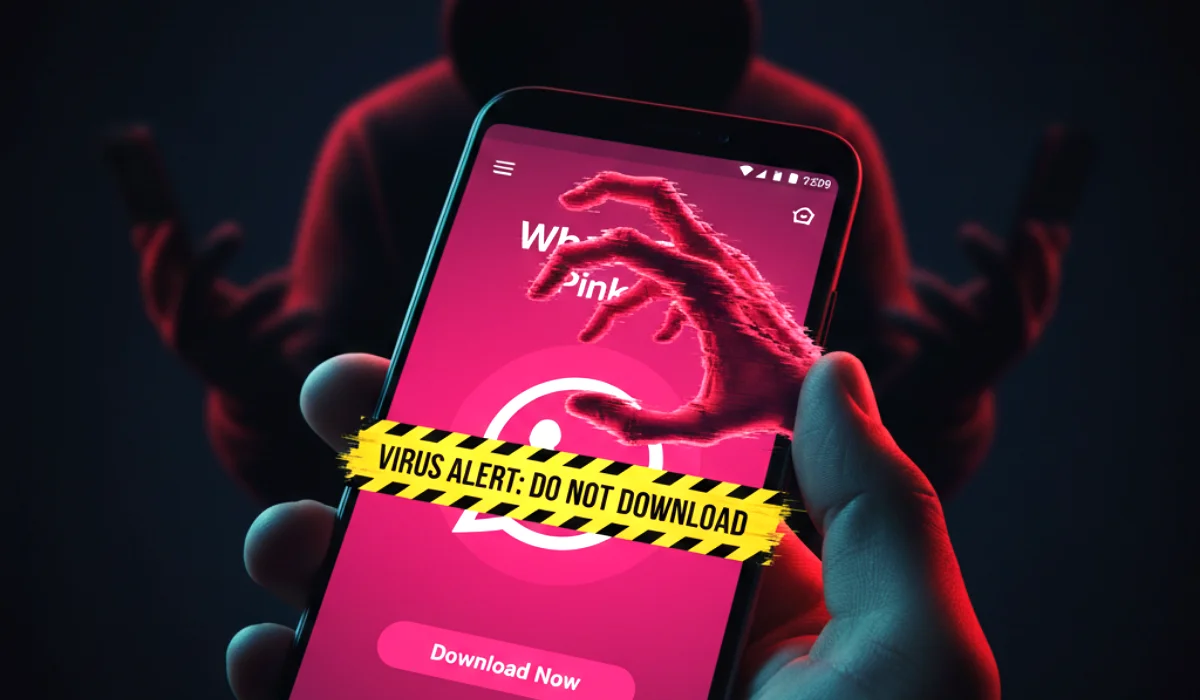
It’s the viral trend that won’t go away. You’re scrolling through your messages when you see a link from a friend: “Finally! WhatsApp Pink Version with new features. Download now!”
It looks harmless. It promises a fun, customizable pink theme for your boring green WhatsApp interface. Millions of users, bored with the standard look, are tempted to click.
Stop.
“WhatsApp Pink” is not a theme. It is not an update. It is a dangerous piece of malware that gives hackers total control over your phone.
This is your urgent guide to the viral “WhatsApp Pink” scam that is sweeping through Android phones in 2025. We explain exactly what happens if you click, and most importantly, how to remove it if you’ve already made the mistake.
Urgent Security Alert: “This isn’t just a spam app. Once installed, WhatsApp Pink hides itself from your app drawer and works in the background to steal your OTPs (One-Time Passwords), read your banking messages, and spam all your contacts with the same virus link. It turns your phone into a weapon against your own friends.”
What Is the “WhatsApp Pink” Scam?
The scam is simple but effective. It relies on a forwarded message that claims to offer a “Pink Theme” or a “Gold Version” of WhatsApp with extra features like:
- Customizable colors (Pink, Gold, Blue)
- Sending larger files
- Viewing deleted messages
The message includes a link to download an APK file. Because this app is not on the Google Play Store, you have to manually allow installation from “Unknown Sources.” This is the trap. By bypassing the Play Store’s security, you are voluntarily inviting a virus into your phone.
The “Silent Takeover”: What Happens When You Install It?
Once you install the APK, the malware executes a sophisticated attack in three steps:
1. The Vanishing Act:
As soon as you install “WhatsApp Pink,” the app icon disappears from your home screen. You might think the installation failed, but it didn’t. It has simply hidden itself to prevent you from uninstalling it easily.
2. The Data Heist:
Now running silently in the background, the malware requests aggressive permissions. It can:
- Read your SMS messages (to steal banking OTPs).
- Access your contact list (to find new victims).
- View your photos and gallery.
- Monitor your keystrokes (to steal passwords).
3. The Viral Spread:
To ensure it spreads, the virus uses your phone to automatically reply to your WhatsApp messages with its own download link. Your friends think you are recommending it, so they click it too. This “worm” behavior allows it to infect thousands of phones in days.
How to Remove WhatsApp Pink (Step-by-Step)
If you or someone you know has clicked the link, act immediately. Uninstaling it is tricky because the icon is hidden, but it can be done.
Step 1: Disconnect Immediately
Turn off your Wi-Fi and Mobile Data. This stops the malware from sending your data to the hacker’s server and prevents it from messaging your friends.
Step 2: Find the Hidden App
Go to your phone’s Settings > Apps (or App Management).
Scroll through the list. Look for an app named “WhatsApp Pink,” “Pink Theme,” or sometimes just a blank icon with no name.
Step 3: Uninstall and Revoke
Tap on the suspicious app and select Uninstall.
Crucial Step: Check if any other suspicious apps were installed recently. Sometimes malware installs multiple “helper” apps. Remove anything you don’t recognize.
Step 4: Check “Device Admin” Apps
Go to Settings > Security > Device Admin Apps.
If “WhatsApp Pink” is listed here and checked, uncheck it immediately. This revokes its special privileges.
Step 5: Clean Up
- Change Passwords Immediately change your banking and email passwords from a different device.
- Warn Your Friends: Send a message to your contacts saying, “If I sent you a link for WhatsApp Pink, do not click it. My phone was infected.”
- Clear Browser Cache Go to your browser settings and clear your history and cache to remove any lingering scripts.
Frequently Asked Questions (FAQs)
1. Is there any official “Pink” version of WhatsApp?
No. WhatsApp only has one official version (Green). Any “Pink,” “Gold,” or “Blue” versions are 100% fake and malicious.
2. Can iPhones get the WhatsApp Pink virus?
It is much harder for iPhones to get this specific virus because iOS does not easily allow installing APK files from unknown websites. This is primarily an Android threat.
3. I clicked the link but didn’t install the app. Am I safe?
Likely yes, but be careful. The website itself might try to execute scripts or show phishing pop-ups. Clear your browser history just to be safe.
4. Why doesn’t antivirus detect it?
Many mobile antivirus apps do detect it, but because the hackers constantly change the code and file name, they can sometimes bypass detection for a few days.
5. What is “WhatsApp Gold”?
It is the exact same scam with a different name. It claims to be a “premium” version used by celebrities. It is also malware.
6. Can this virus steal money from my bank?
Yes, indirectly. By stealing the OTPs sent to your SMS, hackers can authorize transactions if they already have your card details or banking login.
7. Why do people keep falling for this?
Because it exploits curiosity and the desire for customization. The malware also uses “social engineering” by making the link come from a trusted friend.
8. How can I verify if a WhatsApp update is real?
Only update WhatsApp through the Google Play Store or Apple App Store. Never update an app by downloading a file from a random website.
9. Will factory resetting my phone remove the virus?
Yes. A factory reset is the nuclear option. It wipes everything, including the virus. If you are unsure if you successfully removed it, a factory reset is the safest choice.
10. Can I just use a theme app to change WhatsApp’s color?
There are legitimate apps that can change your phone’s overall theme, but they cannot change the internal code of WhatsApp. Be very wary of any app that claims to change the color of specific apps.
11. What does “APK” mean?
APK stands for “Android Package Kit.” It’s the file format used to install apps on Android. Legitimate apps use them too, but you should usually only install them from the Play Store.
12. Is my WhatsApp account hacked?
The virus infects your phone, not necessarily your WhatsApp account itself. However, it controls your WhatsApp to send messages. Once removed, your account is yours again.
13. Should I report this to the police?
If you lost money, yes. Report it to your local cybercrime unit. If you just downloaded the app, reporting the link to WhatsApp is helpful.
14. How do I report the message in WhatsApp?
Long press the message, tap the three dots, and select Report. This helps WhatsApp identify and ban the link.
15. Can I get my data back if it was stolen?
Once data is stolen (like photos or contacts), it cannot be “unstolen.” This is why prevention is critical.
16. Why is the icon hidden?
To stop you from deleting it. Most users only know how to uninstall apps by dragging the icon from the home screen. If the icon is gone, they think the app is gone.
17. Does this affect WhatsApp Business?
Yes, the malware doesn’t care which version of WhatsApp you use. It targets the operating system to hijack messaging functions.
18. What are “Unknown Sources”?
It’s an Android setting that allows you to install apps from outside the Play Store. Keep this OFF for maximum security.
19. Is this a new scam?
No, “WhatsApp Pink” has been around since 2021, but it surges in waves every year with slightly new features or names to trick new victims.
20. What is the Golden Rule of mobile security?
If an app promises you “premium” features for free, or features that the official app doesn’t have (like seeing deleted messages), it is a scam. Every time.


